



What the ATS Resume Checker Actually Checks in 2025
Learn what an ATS resume checker actually checks and what it overlooks, helping you craft a resume that passes automated screening systems.
Introduction
Every time you submit a resume online, you wonder: will a computer reject it before a human ever sees it? The fear is understandable. Applicant Tracking Systems have become the default technology for managing job applications, and the internet is full of warnings about resumes disappearing into a "black hole."
The reality is more nuanced. An ATS resume checker doesn't reject your application outright—it organizes, parses, and ranks submissions so recruiters can review them efficiently. The system uses Natural Language Processing to extract important information such as your name, skills, education, and work experience from your resume. What gets checked, how it gets stored, and what actually matters to your application success are often misunderstood.
This confusion leads job seekers to over-optimize for imaginary algorithmic hurdles while overlooking what hiring teams actually need to see. Understanding the genuine capabilities and limitations of these systems is the first step toward crafting a resume that works for both the software and the people making hiring decisions. For a deeper look at formatting choices that support both parsing and readability, see our guide on ATS Résumé Format: What Recruiters Actually Look For.
What an ATS Resume Checker Actually Does
An ATS is recruitment software that stores, organizes, and searches resumes. When you submit your application, the system attempts to parse the document—breaking it into structured data fields like contact information, job titles, employers, dates, and skills. This parsing relies on pattern recognition and natural language processing, not keyword counting or rejection algorithms.
The parsed data populates a candidate profile in the recruiter's database. Hiring teams can then search, filter, and rank candidates based on criteria relevant to the role. The system doesn't automatically reject anyone; it creates a searchable record that humans use to make decisions.
The myth that computers auto-reject applications persists without concrete research to support it. Many qualified candidates assume their resumes were filtered out by an algorithm when, in reality, a human reviewer made the decision based on job requirements, experience fit, or application volume.
Problem Statement
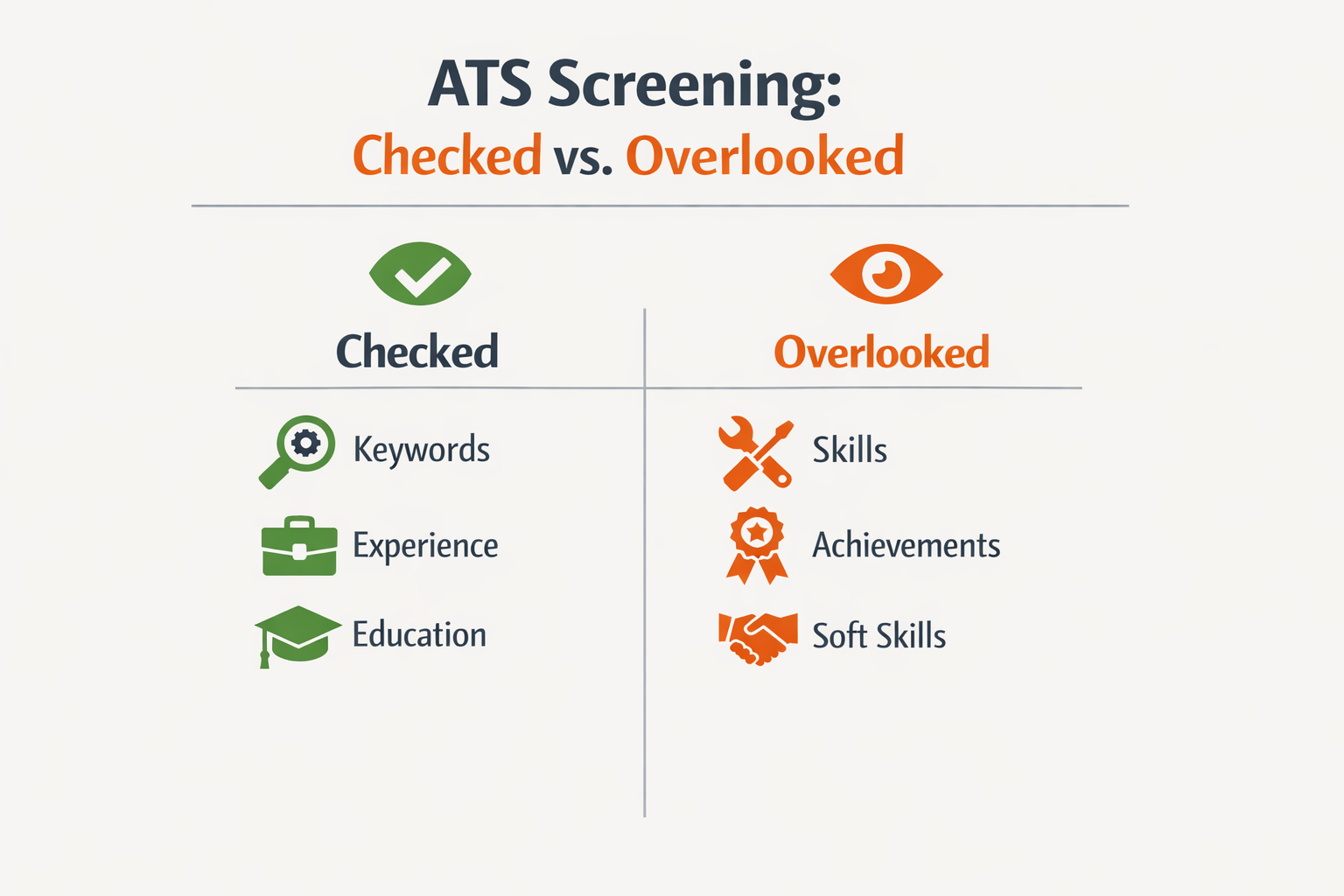
Job seekers face a frustrating paradox: they're told their resumes never reach human eyes because automated systems reject them, yet the reality is far more nuanced. The confusion around what an ATS resume checker actually does — and what it doesn't — has spawned an entire industry of myths, half-truths, and expensive fixes for problems that may not exist.
The most pervasive misconception is that ATS systems automatically reject applications. Many candidates believe a computer algorithm scans their resume, assigns a score, and discards anything below an arbitrary threshold before a recruiter ever sees it. This belief drives anxiety and leads to over-optimization: cramming keywords, stripping all formatting, and second-guessing every design choice. The truth is more complex and, in some ways, more challenging.
The Parsing Problem vs. The Rejection Myth
ATS platforms do parse resumes — they extract text, categorize information, and structure data so recruiters can search and filter candidates efficiently. Research on early ATS software suggests these systems can struggle with complex formatting and may fail to read certain resume elements correctly. When parsing fails, your carefully crafted experience section might appear as gibberish in the recruiter's view.
But parsing failure is not the same as automatic rejection. Most modern ATS platforms don't reject applications on their own. Instead, they contextualize applicants for recruiters by ranking, tagging, and organizing candidates based on how well the parsed data matches job requirements. A recruiter still makes the final call — but if your resume parsed poorly, you're starting from a disadvantaged position.
The Keyword Confusion
Another common challenge is understanding what role keywords actually play. Job seekers are told to "beat the ATS" by matching exact keywords from the job description, sometimes to absurd extremes. The reality: ATS platforms enable keyword searches, but they don't automatically score and rank every resume against a keyword checklist without human intervention.
Recruiters use the ATS to search for specific skills, titles, or qualifications. If your resume doesn't contain the terms they're searching for — even if you have the underlying experience — you won't surface in their results. This isn't an algorithm rejecting you; it's a search function working exactly as designed. The challenge is that you don't know which terms the recruiter will prioritize, so you're optimizing in the dark.
The Vanishing Source Problem
Much of the advice circulating about ATS resume checkers traces back to studies and statistics that are either outdated or impossible to verify. One widely cited claim about resume rejection rates came from a company that no longer exists, and the original research has never been independently validated. This creates a knowledge gap where anxiety and speculation rush in to fill the void.
Without clear, current data on how different ATS platforms actually function, job seekers are left to navigate conflicting advice: some sources say formatting doesn't matter, others insist on plain text only; some recommend keyword stuffing, others warn it's obvious and counterproductive. The lack of transparency from ATS vendors and the diversity of platforms in use mean there's no single "right" answer that works everywhere.
The ATS doesn't reject your resume — but if it can't parse your information correctly, the recruiter's search never finds you in the first place.
Understanding what is an ATS-friendly resume requires moving past the myths and focusing on what these systems actually do: they organize, search, and present candidate data to human decision-makers. The problem isn't that computers are rejecting qualified candidates — it's that poorly parsed or poorly optimized resumes become functionally invisible in a crowded applicant pool.
Solution Steps
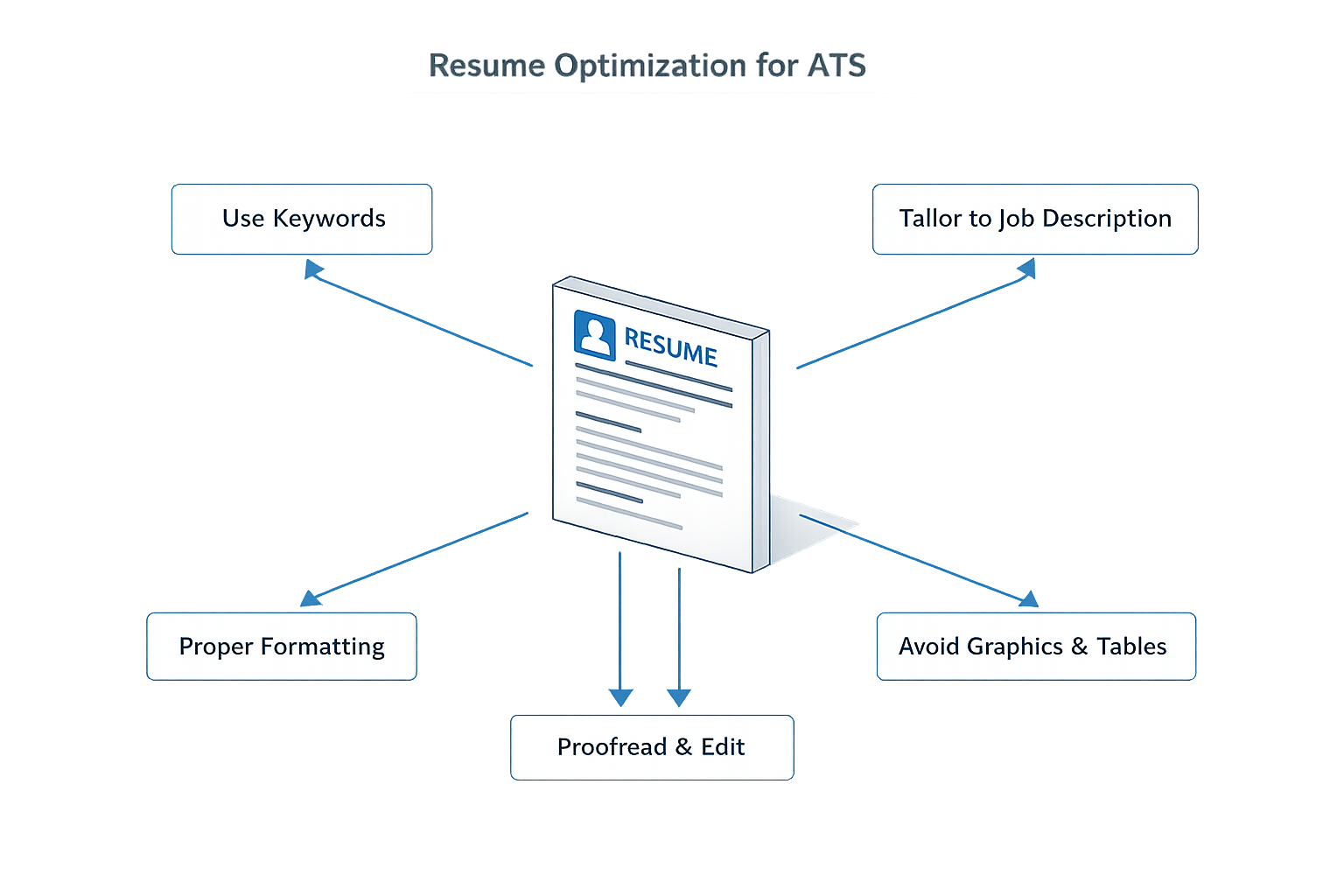
Optimizing your resume for an ATS resume checker requires a methodical approach that balances technical requirements with human readability. The following steps will help you create a resume that passes automated screening while still appealing to the recruiter who reviews it afterward.
Step 1: Choose a Clean, Standard Format
Start with a simple, single-column layout using standard fonts like Arial, Calibri, or Times New Roman. Avoid tables, text boxes, headers, footers, and graphics that confuse parsing algorithms. Stick to conventional section headings like "Work Experience," "Education," and "Skills" rather than creative alternatives.
ATS systems parse resumes by identifying structural patterns. When you use unconventional formatting, the system may fail to extract your information correctly, leaving fields blank or misattributing content. A straightforward document structure ensures the system can map your qualifications to the fields recruiters search.
Step 2: Align Your Content with the Job Description
Read the job description carefully and identify the exact terms used for required skills, qualifications, and responsibilities. Incorporate these keywords naturally throughout your resume, particularly in your skills section and work experience bullets. Focus on technical terms, certifications, and action verbs that appear in the posting.
ATS systems rank candidates based on keyword matches. If the job posting asks for "project management" and you've written "managed projects," the system may not recognize the match. Use the employer's exact phrasing where accurate. For guidance on structuring these elements effectively, see our guide on ATS Résumé Format: What Recruiters Actually Look For.
Step 3: Eliminate Errors and Optimize Readability
Review your resume multiple times to catch typos, grammatical errors, and formatting inconsistencies. Ensure bullet points are parallel in structure, dates are formatted consistently, and all information is accurate. Keep descriptions clear and specific, focusing on what you built, owned, or achieved in each role.
While ATS systems don't penalize typos directly, human reviewers do. Clean, error-free content demonstrates attention to detail and professionalism. Write bullets that describe concrete accomplishments rather than vague responsibilities.
Step 4: Save and Submit in the Correct Format
Submit your resume as a .docx or PDF file unless the application explicitly requests a different format. Most modern ATS platforms parse both formats effectively, but .docx files tend to be more universally compatible. Name your file professionally, such as "FirstName_LastName_Resume.docx," to make it easy for recruiters to identify.
Avoid submitting scanned images, password-protected files, or documents with embedded macros. These create parsing errors that can result in your resume being flagged or rejected before a human ever sees it.
Step 5: Test and Refine Your Resume
Before submitting, review your resume against the job description one final time. Check that you've included all required qualifications, used relevant keywords, and maintained a clean structure. If possible, ask a colleague to review it for clarity and accuracy. Small adjustments can make the difference between passing and failing automated screening.
Tips and Tricks for ATS Success

Beyond the core optimization steps, several practical tactics can improve your resume's performance in automated screening systems. These tips address common pitfalls and leverage insights from how resumes are actually evaluated in hiring workflows.
Prioritize Brand Visibility Over Formatting Tricks
If you've worked for recognizable companies, make those names immediately visible. Recruiters scan quickly for familiar brands, and burying them in dense text or unconventional layouts defeats the purpose. Clean, straightforward formatting ensures that brand names stand out when a human reviewer opens your resume after it passes initial screening.
This approach matters because most ATS platforms parse company names into dedicated fields. When those fields are populated correctly, recruiters can filter candidates by employer—a common first step in reviewing applicant pools.
Understand That Errors Matter Earlier Than You Think
Many job seekers assume hiring managers will overlook minor typos if the content is strong. In practice, resumes with numerous mistakes are often eliminated before they reach hiring managers at all. Initial screening—whether automated or by HR staff—filters out documents with obvious errors in spelling, grammar, and punctuation.
Resumes with many mistakes are screened out before reaching hiring managers, making initial quality control critical.
This means proofreading is not about impressing the final decision-maker; it's about surviving the first gate. Run spell-check, read your resume aloud, and have someone else review it. Errors signal carelessness in a context where attention to detail is assumed.
Balance Keyword Optimization With Readability
While keywords are essential for ATS parsing, overloading your resume with repetitive terms makes it unreadable for humans. The document must satisfy both audiences: the automated system that scores keyword matches and the recruiter who reads the shortlisted version.
Use variations of key terms naturally throughout your resume. If the job description mentions "project management," include related phrases like "led cross-functional projects" or "managed project timelines" rather than repeating the exact phrase in every bullet point.
For additional guidance on structuring your resume to meet both automated and human review standards, see our guide on ATS Résumé Format: What Recruiters Actually Look For.
Test Your Resume With Multiple Tools
No single ATS resume checker replicates the exact behavior of every employer's system. Different platforms parse documents differently, and what works perfectly in one tool may fail in another. Test your resume with several free checkers to identify common parsing issues—then fix those issues rather than chasing a perfect score on any one tool.
Focus on consistent problems across tools: missing contact information, unparsed job titles, or garbled section headers. These are real issues that will affect how your resume appears to recruiters.
Keep a Master Version With Full Context
Maintain a comprehensive master resume that includes all your experience, projects, and skills. When applying to specific roles, create tailored versions by selecting and emphasizing the most relevant content rather than rewriting from scratch each time.
This approach ensures consistency in how you describe your work while allowing you to adjust keyword emphasis and prioritize different experiences for different roles. It also reduces the risk of introducing errors when rushing to customize a resume for a deadline.
Conclusion
Understanding what an ATS resume checker actually checks — and what it doesn't — gives you a clearer path forward in your job search. These systems don't reject your application; they organize and rank it so recruiters can make informed decisions. The ATS compares your skills and experience against job requirements, calculates a match score, and presents that context to a human reviewer. Your goal isn't to trick the software but to communicate your qualifications clearly enough that both the system and the recruiter can see the fit.
The steps outlined in this guide — using standard formatting, matching keywords naturally, quantifying achievements, and testing your resume before submission — address the real mechanics of ATS screening. When you align your resume with how these systems parse and score information, you increase the likelihood that a recruiter will see your application ranked higher in their queue. That visibility is what moves you from the applicant pool to the interview stage.
Many job seekers waste energy optimizing for myths: invisible text, keyword stuffing, or avoiding tables and graphics altogether. The research shows these fears are overblown. What matters is structure, clarity, and relevance. If your resume can be read accurately and your skills map to the job description, the ATS will surface your profile to the decision-maker. From there, it's the strength of your experience — not the formatting tricks — that determines whether you advance.
As you refine your application strategy, remember that the ATS is a tool for efficiency, not a barrier designed to exclude you. Employers use these systems to manage volume, not to replace human judgment. Your resume still needs to tell a compelling story; the ATS simply ensures that story reaches the right person. For additional guidance on structuring your resume to meet both ATS and recruiter expectations, explore our ATS résumé format guide for practical formatting strategies that work in real hiring workflows.
Focus on substance: relevant skills, measurable results, and a clean presentation. When your resume reflects what you've actually accomplished and how it aligns with the role, the ATS resume checker becomes a non-issue — it's just the first step in getting your qualifications in front of someone who can say yes.
Sources(25)
- Ask a Manager (2012)
- interviewing.io (2025)
- Ask a Manager (2019)
- Ask a Manager (2016)
- Ask a Manager (2023)
- Ask a Manager (2020)
- Ask a Manager (2012)
- Ask a Manager (2025)
- Zenodo (CERN European Organization for Nuclear Research) (2026)
- Zenodo (CERN European Organization for Nuclear Research) (2026)
- Ask a Manager (2011)
- Ask a Manager (2013)
- Ask a Manager (2015)
- Ask a Manager (2013)
- Ask a Manager (2016)
- Ask a Manager (2014)
- Zenodo (CERN European Organization for Nuclear Research) (2026)
- Ask a Manager (2020)
- Ask a Manager (2021)
- DR-NTU (Nanyang Technological University) (2026)
- Zenodo (CERN European Organization for Nuclear Research) (2026)
- interviewing.io (2014)
- john-cronin-quote-integration — John Cronin
- aam-e7624c462dfba80d (practitioner_guidance)
- iio-9fa7c401faafb2a1 (practitioner_guidance)
Written by
Resume Coach Team
Published October 18, 2026 · 12 min read
Want this kind of read on your résumé?
We'll tell you what's actually working, what's holding you back, and what to fix — in plain English.
Get My Job Match ScoreYou Might Also Like
More articles to help you advance your career

ATS Meaning Resume: Understanding ATS and What Applicant Tracking
Learn what ATS meaning resume entails and how Applicant Tracking Systems work in 2026 to streamline your hiring process and recruitment workflows.

Why a Generic Cybersecurity Resume Won't Work and What Will
Discover why a generic cybersecurity resume won't cut it and learn how to tailor your application for success in the tech industry.

Free ATS Resume Checker: What's Useful and What's Not
Discover what Free ATS Resume Checker tools can and can't do. Learn which features actually help optimize your resume for applicant tracking systems.

Free ATS Resume Checker: What's Free vs. Actually Useful
Explore the differences between Free ATS Resume Checker tools and truly useful options. Learn what free versions offer vs. paid features for job seekers.