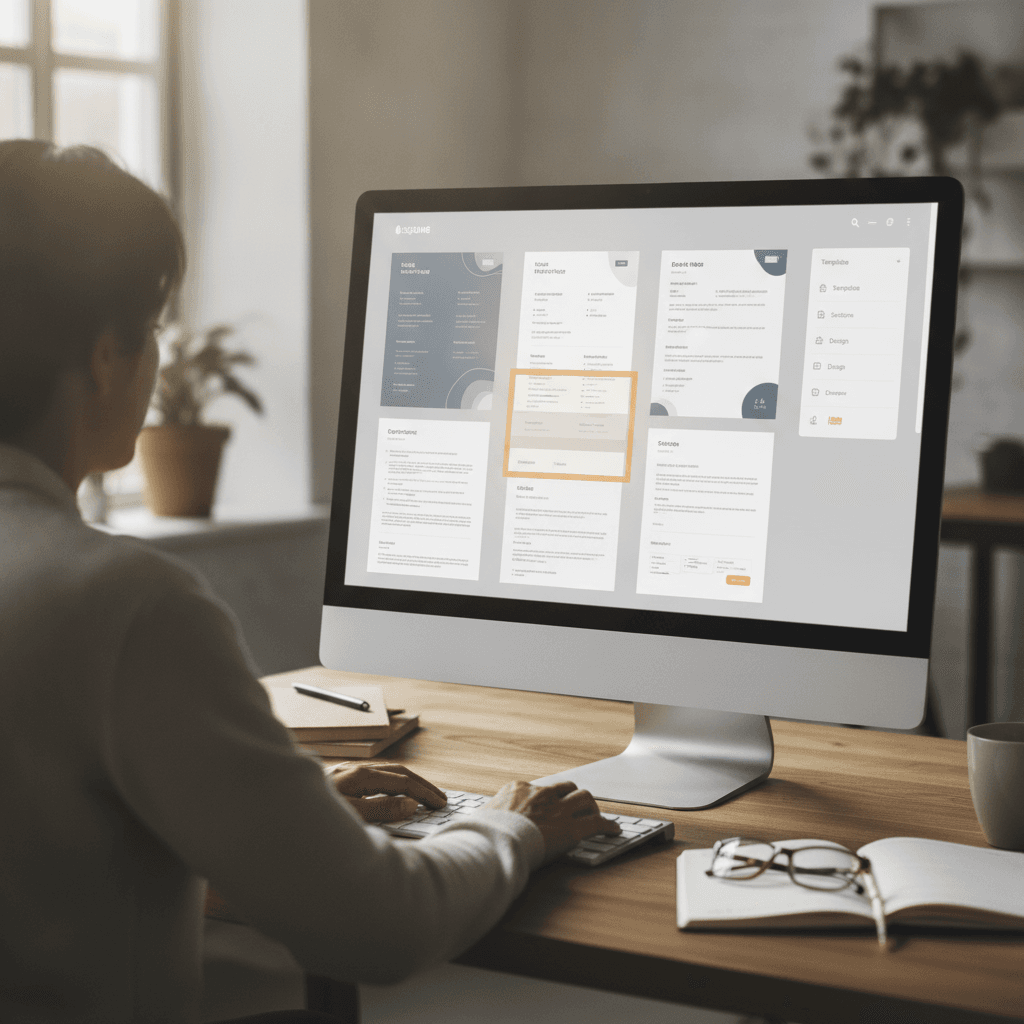
How to Choose the Best Resume Builder That Gets You Hired
Learn how to choose the best resume builder that enhances your chances of getting hired with practical tips, ATS optimization insights, and expert guidance.
 John Cronin
Introduction
Your resume is the first thing a recruiter sees, and in most cases, it's the only thing standing between you and an interview. After 25 years in talent acquisition, including roles at Meta and GoPro, I can tell you this: most resumes don't make it past the first screen. Not because the candidate isn't qualified, but because the resume doesn't communicate their value clearly enough or quickly enough.
Choosing the best resume builder is about more than picking a pretty template. It's about finding a tool that helps you present your experience in a way that both applicant tracking systems and human recruiters can process efficiently. At Meta, I was responsible for sourcing machine learning and AI engineers, which meant I needed resumes that quickly communicated a candidate's technical prowess and potential impact. The resumes that stood out were well-organized, easy to scan, and tailored to the role.
A good resume builder does three things well: it structures your information so ATS software can parse it correctly, it presents your accomplishments in a way that catches a recruiter's eye during a quick scan, and it makes customization simple so you can adjust your resume for different opportunities. If you're wondering why you're not getting interviews, your resume format might be part of the problem.
This guide walks you through what to look for in a resume builder, how to use one effectively, and which common mistakes will sink your application before anyone reads past your name. You'll learn the practical criteria that matter when you're competing for technical roles where recruiters scan dozens of resumes in a single sitting.
Learn how to choose the best resume builder that enhances your chances of getting hired with practical tips and insights.
What is a Resume Builder?
A resume builder is a software tool that guides you through creating a resume by offering templates, formatting options, and content suggestions. Instead of starting from a blank document, you select a template, fill in your information, and the tool structures it into a finished resume. Most builders handle formatting automatically—margins, fonts, spacing—so you can focus on what you've done rather than how it looks on the page.
These tools range from simple form-based editors to more sophisticated platforms that optimize your resume for applicant tracking systems (ATS). An ATS-friendly resume is one that can be read, extracted, and organized correctly by the software many employers use to screen candidates. If the ATS can't parse your resume cleanly, your application may never reach a recruiter.
Why Resume Builders Exist
Resume builders solve a practical problem: most people don't know how to format a resume that both looks professional and passes through automated screening. A recruiter spends seconds on an initial scan. If your resume is cluttered, inconsistent, or hard to read, it gets passed over—even if your experience is solid. Resume builders enforce structure and consistency, which makes your resume easier to evaluate quickly.
The best resume builders also offer role-specific templates. A technical role resume emphasizes projects, tools, and impact metrics differently than a marketing or operations resume. When I was recruiting machine learning engineers at Meta, the resumes that stood out were those that immediately communicated technical depth—languages, frameworks, model performance improvements. A builder that understands technical roles helps you highlight what matters to the hiring manager.
What Resume Builders Don't Do
Resume builders don't write your resume for you. They provide structure and suggestions, but the substance—what you accomplished, how you describe your impact, the specifics of your experience—comes from you. A builder can't invent achievements or turn weak bullet points into strong ones. It's a formatting and organization tool, not a substitute for clear thinking about what you've done and why it matters.
Some builders include AI-powered content suggestions or keyword recommendations based on job descriptions. These can be useful starting points, but they're not a shortcut. You still need to tailor your resume to the role you're applying for and make sure every line reflects real work you've done.
Why Choosing the Right Resume Builder Matters
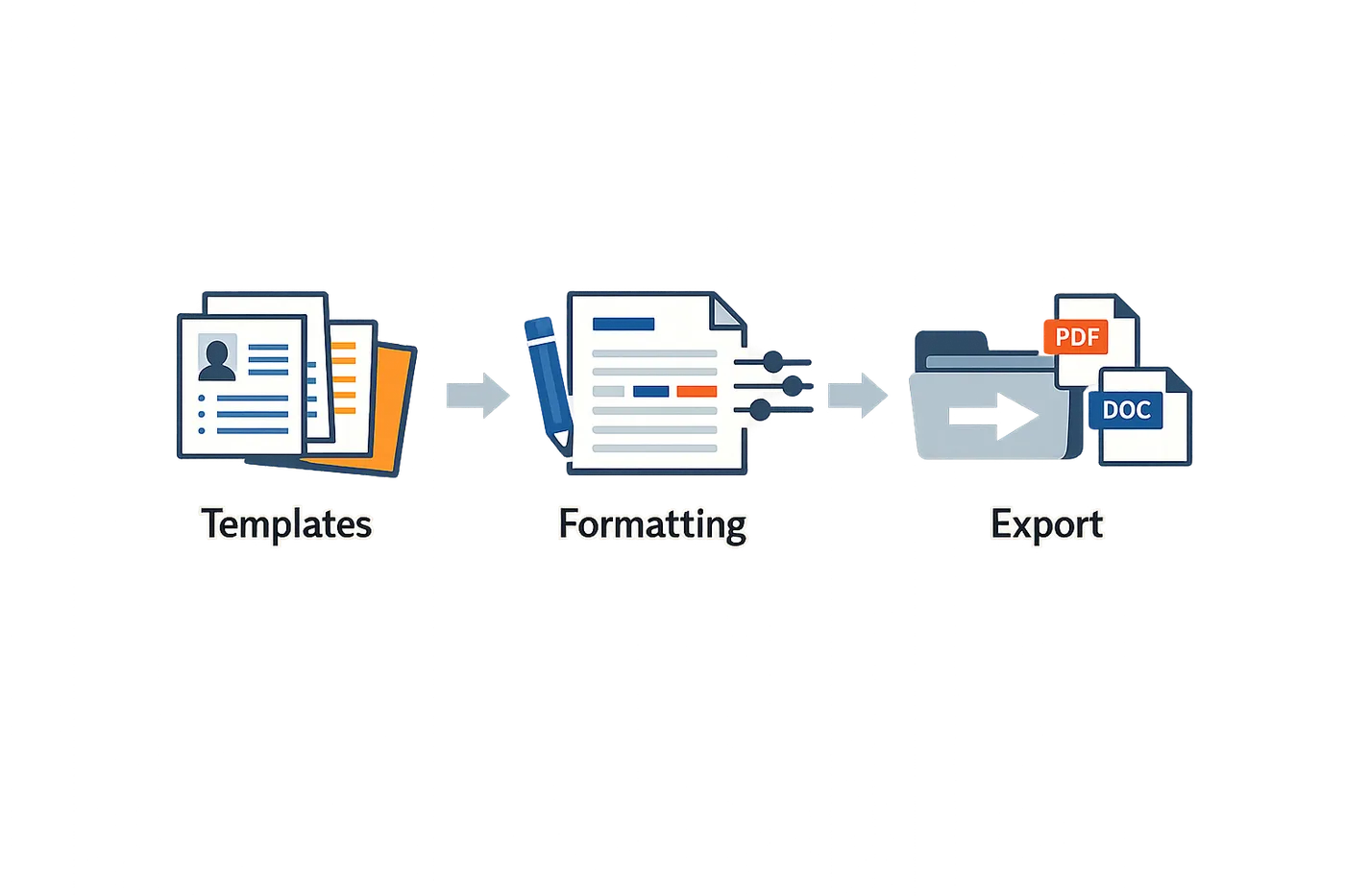
The resume builder you choose directly affects whether your application reaches a hiring manager. After screening thousands of resumes at Meta and GoPro, the difference between a well-structured resume and a cluttered one is immediate. Recruiters spend seconds on initial screening — if your resume doesn't communicate your value quickly, it's out.
The Best Resume Builder Serves Your Job Search, Not Its Feature List
Most candidates pick a resume builder based on template count or design options. That's backward. The right builder is the one that helps you land interviews, not the one with the most bells and whistles. A resume builder should make it easy to tailor your resume to each role, highlight relevant experience, and pass ATS screening without friction.
When I hired machine learning engineers at Meta, the resumes that advanced were clear, scannable, and matched the job requirements. The builder behind them didn't matter. What mattered was whether the candidate used it to structure their experience logically and emphasize technical impact.
ATS Compatibility Is Non-Negotiable
Applicant tracking systems parse your resume before a human sees it. If your builder produces a format that confuses the ATS, your application dies in the system. Strong candidates can be rejected because their resume uses incompatible formatting — text boxes, tables, or graphics that the ATS can't read.
A good resume builder produces clean, ATS-friendly output by default. It avoids formatting tricks that look good on screen but break when parsed. If you're applying to mid-size or large companies, ATS compatibility is the baseline requirement, not a bonus feature.
The resume that reaches the hiring manager is the one the ATS can read — design comes second.
Customization Determines Success Rate
Generic resumes don't work in competitive hiring markets. The best resume builder lets you adjust your resume for each application without starting from scratch. That means easy section reordering, flexible bullet editing, and the ability to swap in role-specific keywords naturally.
At Imgur, where I averaged 70 technical hires per year, the candidates who advanced tailored their resumes to the role. They emphasized relevant projects, adjusted their skills section, and aligned their language with the job description. A builder that makes customization fast and intuitive increases your application volume and quality simultaneously.
Clarity Beats Creativity in Professional Hiring
Recruiters value readability over visual flair. A resume builder that prioritizes clean structure, consistent formatting, and logical flow will outperform one that prioritizes design complexity. Candidates are advanced because their resumes are easy to scan and their accomplishments are clear.
The right builder enforces good structure without limiting your ability to tell your story. It keeps formatting consistent, prevents common layout errors, and ensures your most important information is visible in the top third of the page.
How to Choose the Best Resume Builder
Choosing the right resume builder isn't about picking the flashiest tool or the one with the most templates. It's about finding a platform that helps you communicate your value clearly and quickly — because that's what gets you through the initial screen. I've reviewed thousands of resumes, and the ones that land interviews aren't the prettiest; they're the ones where I can see the candidate's impact in the first ten seconds.
Here's how to evaluate your options without getting lost in marketing claims.
Prioritize Clarity Over Design Complexity
The best resume builder is the one that makes your accomplishments easy to read. Fancy graphics, dense text blocks, and creative layouts slow down the reader — and when a recruiter is moving through 50 resumes in an hour, slow means skipped.
Look for builders that offer clean, scannable templates with clear section headers. Your resume should guide the reader's eye to your results, not distract them with visual noise. If a template makes you squint or hunt for information, it's not doing its job.
Verify the Builder Supports Customization
Generic resumes get generic results. The builder you choose should let you tailor your resume to each role without starting from scratch every time. That means easy section reordering, flexible bullet formatting, and the ability to emphasize different skills depending on the job description.
If a builder locks you into rigid templates where you can't move sections or adjust emphasis, you're going to struggle when applying to roles that value different aspects of your background. Customization isn't a luxury — it's how you show a hiring manager you actually read the job posting.
Check for ATS Compatibility
Many companies use applicant tracking systems to filter resumes before a human ever sees them. A builder that produces ATS-friendly output increases your chances of making it through that first automated screen. This typically means avoiding headers and footers for critical information, using standard section titles, and sticking to common file formats like .docx or PDF.
You don't need to obsess over ATS optimization, but you do need to avoid builders that embed your contact information in image headers or use non-standard formatting that confuses parsing software. For more on how these systems actually work, see ATS Meaning Resume: Understanding ATS and What Applicant Tracking.
Don't choose a builder based on its landing page promises. Ask to see before-and-after examples of real resumes the service has produced. If the samples are weak — vague bullet points, inconsistent formatting, or generic language — the builder won't magically fix your resume either.
If you're working with a service that includes human assistance, make sure they spend real time talking to you. A good resume writer will ask probing questions about your projects, metrics, and impact. If someone just takes your existing resume and reformats it without digging deeper, you're not getting value — you're getting a cosmetic edit.
Resume builders vary wildly in quality. The first service you encounter might be perfectly adequate, or it might produce resumes riddled with clichés and formatting errors. Take the time to compare a few options. Look for consistency in verb tenses, absence of typos, and substance in the accomplishment statements. If a builder's own marketing materials contain errors, that's a red flag.
Assess the Builder's Guidance Features
Some builders offer prompts, tips, or even AI-driven suggestions as you write. These can be helpful if you're stuck, but they're not a substitute for thinking through your own achievements. The best guidance helps you articulate what you've already done; weak guidance fills your resume with buzzwords and fluff.
If a builder suggests phrases like "core competencies" or "results-oriented professional," ignore it. Recruiters see those phrases a hundred times a day, and they mean nothing. Good builders help you find the specific, concrete details that differentiate you.
Consider Cost Against Value
Free builders can work fine if you know what you're doing and just need a clean template. Paid services make sense if they provide expert feedback or save you significant time. But price alone doesn't indicate quality — expensive services can produce mediocre resumes and free tools can do the job perfectly well for straightforward backgrounds.
Before paying, ask yourself what you're actually getting. If it's just a template, you probably don't need to spend money. If it's personalized coaching from someone who understands your industry and can draw out your best work, that might be worth the investment.
Best Practices for Using a Resume Builder

Once you've chosen a resume builder, the real work begins. The tool is only as good as what you put into it. I've reviewed thousands of resumes built with templates, and the difference between a strong application and a weak one rarely comes down to the builder itself—it's how you use it.
Keep the Format Simple and Scannable
Hiring managers want a concise, easy-to-scan list of what you've accomplished, organized chronologically by position, plus any particularly notable skills. That's it. Resist the urge to get creative with unusual designs or colors. Those choices annoy most hiring managers and raise questions about whether you think your skills and experience won't speak for themselves. The traditional resume layout may feel boring, but hiring managers know how to quickly find the information they want on it, and that's to your advantage.
Choose a font that's easy on the eyes—Georgia, Calibri, Arial, or Times New Roman all work fine. The litmus test for your resume font is that no one should be thinking about it. You want your content to stand out, not your font selection skills. Keep the font size at 11 points or larger; anything smaller can be hard for some people to read.
Write for Results, Not Just Responsibilities
Most resume builders give you bullet points under each job. Don't waste them listing what you were supposed to do—show what you actually achieved. Think of it this way: someone could have your exact same job and do it really poorly. You don't want to have the same bullet points on your resume that they would.
For example, just listing that you were in charge of responding to service requests doesn't reveal anything about whether you were highly responsive and got things taken care of quickly and effectively, or whether you were painfully slow and let things fall through the cracks. Instead, write something like "promptly responded to large volume of service requests, ensuring all were swiftly resolved and earning regular kudos from residents."
Almost everything you do in any job can be done well or it can be done poorly. When writing a resume, you want to paint a picture that shows you did it well. What made you good at it? How were your results different than the results you would have gotten if you'd just phoned it in? That's what you need to convey. This approach helps you stand out in a sea of candidates with job histories similar to yours—it shows you're someone who gets things done, which is the type of person every manager wants to hire.
Tailor Each Version to the Job You Want
One of the biggest advantages of a resume builder is the ability to save multiple versions. Use it. Don't send the same resume to every job. Read the job description carefully and adjust your bullet points to emphasize the experience that's most relevant to that specific role. If the posting mentions "cross-functional collaboration," make sure your resume highlights times you worked across teams. If it asks for "data-driven decision making," lead with accomplishments that show you used metrics to drive outcomes.
This doesn't mean lying or inventing experience—it means putting your most relevant work front and center. Recruiters often scan resumes at high volumes, so clarity and conciseness are key. Make it easy for them to see why you're a fit.
Skip the Photo
Although photos often accompany resumes in other countries, in the United States it's considered naive and even gauche to include a photo with your application. Not only does a photo come across as inappropriate, but it will make many employers uncomfortable, because it opens the door for allegations of discrimination. Most resume builders offer the option to add a photo—skip it.
Proofread Before You Export
Resume builders can't catch every mistake, especially if you're copying and pasting content from elsewhere. Before you download or send your resume, read it out loud. Look for typos, awkward phrasing, and inconsistent formatting. Ask someone else to review it if you can. A single error won't always disqualify you, but multiple mistakes signal carelessness—and that's not a trait anyone wants in a hire.
For more on how recruiters actually evaluate resumes, see What the ATS Resume Checker Actually Checks in 2025.
Common Mistakes to Avoid When Using a Resume Builder
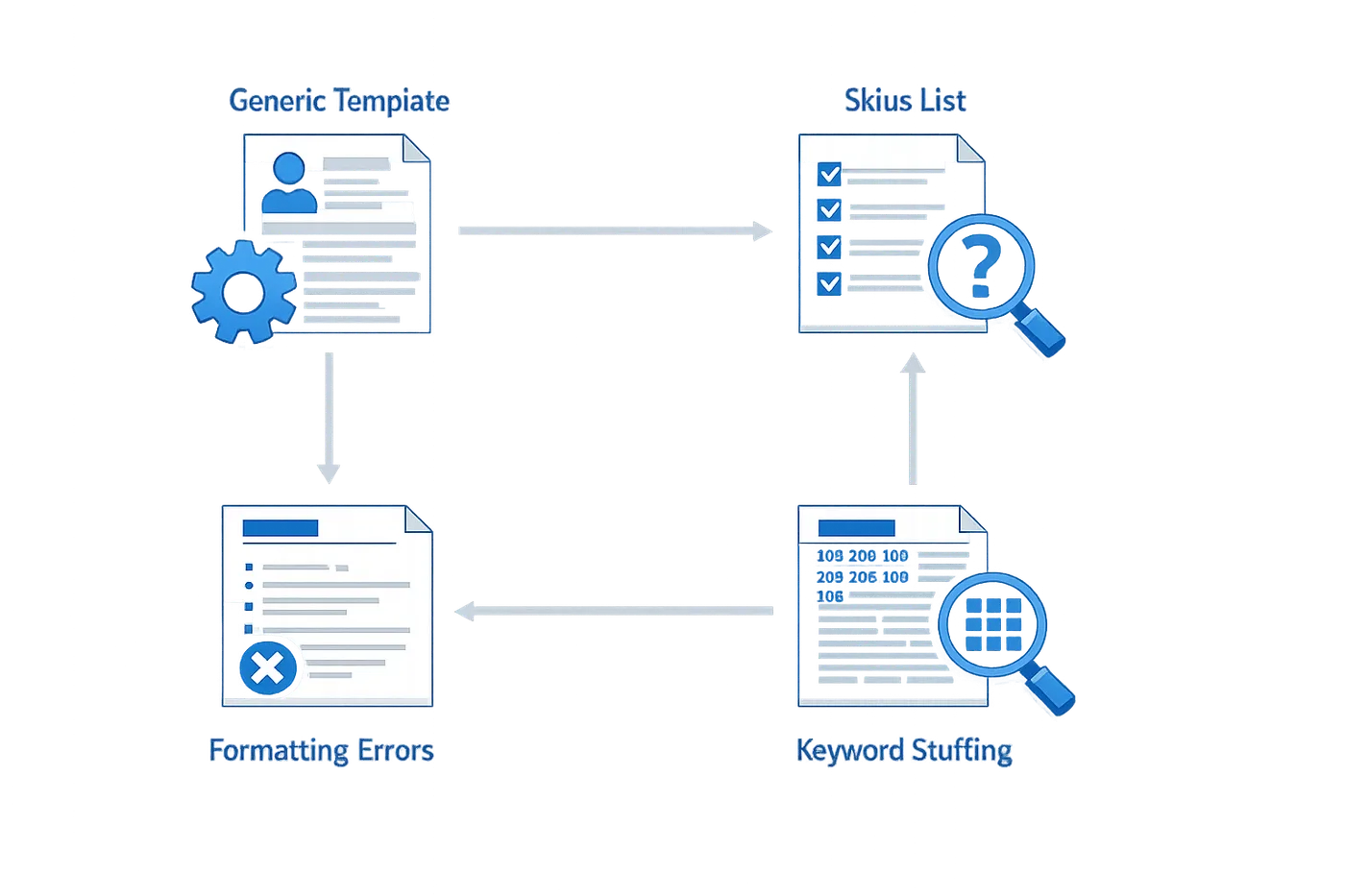
Resume builders can speed up the process, but they also make it easy to repeat the same mistakes at scale. I've reviewed thousands of resumes built from templates, and certain errors show up again and again. The good news: once you know what to watch for, most of these pitfalls are easy to sidestep.
Trusting the Template Without Customization
The biggest mistake is treating a template as a finished product. You fill in the blanks, export the PDF, and assume you're done. But templates are starting points, not solutions. A generic layout won't highlight what makes you different, and it won't speak to the specific role you're targeting.
Every job posting has different priorities. If you're applying for a machine learning role, your projects and technical stack need to be front and center. If it's a leadership position, your team-building and delivery track record should dominate the top half of the page. A one-size-fits-all resume gets lost in the pile.
Overloading the Resume with Buzzwords
Resume builders often suggest keywords, and candidates respond by stuffing every trendy term they can find into the document. The result: a resume that reads like a thesaurus and says nothing concrete.
Recruiters and hiring managers can spot keyword spam instantly. We're looking for evidence, not adjectives. "Led cross-functional teams to deliver a platform handling 10M daily active users" is stronger than "dynamic leader with excellent communication skills and a proven track record of success."
If you can't back up a claim with a number, a deliverable, or a concrete outcome, leave it out. Buzzwords without proof make you look inexperienced, not impressive.
Ignoring ATS Compatibility
Some resume builders prioritize visual design over machine readability. They offer sleek layouts with graphics, tables, and multi-column formats that look great on screen but confuse applicant tracking systems. When the ATS can't parse your resume, your application never reaches a human.
Understanding how ATS systems process resumes is critical. Stick to simple, single-column layouts. Use standard section headings like "Work Experience" and "Education." Avoid images, charts, and text boxes. If the builder offers an ATS-friendly mode, use it.
Relying on Auto-Generated Bullet Points
Many resume builders offer pre-written bullet points you can drop into your experience section. They're convenient, but they're also generic. If your resume reads like everyone else's, you won't stand out.
The same canned phrases show up across dozens of applications: "Responsible for managing projects and coordinating with stakeholders." That tells me nothing about what you actually did or what the outcome was.
Write your own bullets. Start with a strong verb, describe the action you took, and quantify the result. "Rebuilt the CI/CD pipeline, reducing deployment time from 45 minutes to 8 minutes" is specific, measurable, and memorable.
Skipping the Proofreading Step
Resume builders handle formatting, but they don't catch every typo or grammatical error. I've reviewed resumes from well-known services that had inconsistent verb tenses, misspelled company names, and formatting glitches.
A single spelling error can derail an otherwise strong application. Recruiters see it as a lack of attention to detail, and in competitive hiring environments, that's enough to move you to the "no" pile.
Proofread your resume manually. Read it out loud. Ask a friend to review it. Run it through a spell checker, but don't rely on automation alone. Your resume represents your professional brand — make sure it's clean.
Choosing a Builder Based on Price Alone
Free resume builders can be useful, but they often come with limitations: restricted templates, mandatory branding, or export fees. On the other hand, paying for a premium service doesn't guarantee quality.
Expensive resume-writing services can deliver documents with the same generic phrasing and formatting mistakes as free tools. Before you commit to any builder, review sample resumes. Look for clarity, consistency, and evidence-based writing. If the examples don't impress you, the tool won't either.
Failing to Update the Resume for Each Application
Once you've built a resume, it's tempting to use the same version for every job. But hiring managers can tell when a resume wasn't written for their role. Generic resumes get generic responses.
Tailor your resume for each application. Adjust your summary, reorder your bullet points, and highlight the experience that aligns with the job description. It takes an extra 10 minutes per application, but it's the difference between getting an interview and getting ignored.
Frequently Asked Questions About Resume Builders
Over 25 years in recruiting, I've fielded the same resume builder questions hundreds of times. Here's what candidates actually need to know.
Can a resume builder really help me get past ATS?
Yes, but only if you use it correctly. A resume builder structures your content in a way that parsing software can read — clean headings, standard section labels, no embedded tables or text boxes. The builder itself doesn't guarantee ATS success; what matters is that you fill it with relevant keywords from the job description and use a format the system can parse. At Meta, I saw resumes from every tool imaginable. The ones that made it through weren't necessarily from premium builders — they were the ones where candidates matched their skills to the role and kept the layout simple.
Do I need to pay for a resume builder, or are free versions good enough?
Free versions work fine if they give you ATS-friendly templates and let you customize sections. Paid versions typically add features like multiple resume versions, cover letter builders, or keyword optimization tools. During my time at GoPro, I reviewed thousands of resumes — I couldn't tell you which builder created them, and neither could the ATS. What mattered was whether the content was clear and relevant. If a free builder lets you tailor your resume to each application and export a clean PDF, that's enough. Pay for premium only if you need the extra features, not because you think it'll magically improve your chances.
How often should I update my resume using a builder?
Every time you apply to a new role. A resume builder makes it easy to save multiple versions, so you should customize your resume for each job. At Imgur, where I hired 70 technical roles per year, the resumes that stood out were the ones clearly written for that position. Swap in relevant projects, adjust your skills section to match the job description, and reorder bullet points to highlight what the hiring manager cares about. A static resume sent to 50 jobs will underperform a tailored resume sent to 10.
Can I use the same resume for different industries?
No. Different industries value different things, and your resume needs to reflect that. A resume builder helps here because you can duplicate your base resume and adjust the emphasis. If you're applying to a startup, lead with impact and speed; if you're applying to an enterprise company, emphasize process and scale. Software engineers applying to both product companies and consulting firms with the same resume will find it ineffective. The product company wants to see shipped features; the consulting firm wants to see client engagement. Tailor the story, not just the keywords.
A resume builder is a tool, not a strategy. It organizes your content; you still have to make that content relevant.
What's the biggest mistake people make with resume builders?
Trusting the template without thinking about the reader. Resume builders offer templates, but not all templates serve your goals. Candidates can use two-column layouts that ATS can't parse, or dense blocks of text that hiring managers skip over. The biggest mistake is assuming the builder knows what works — it doesn't. You do. Pick a single-column format, use clear section headings, keep bullet points concise, and make sure your most relevant experience is in the top third of the page. The builder structures it; you make it readable.
For more on what ATS systems actually evaluate, see What the ATS Resume Checker Actually Checks in 2025.
Should I include a photo on my resume?
Not in the U.S. In most American hiring contexts, photos create bias risk and can cause ATS parsing errors. Resume builders often include photo slots because they serve global markets, but unless you're applying in a region where photos are standard (parts of Europe, for example), leave it blank. A photo has never improved a candidate's chances in technical recruiting, and it can hurt when the image breaks the layout or signals information that shouldn't factor into hiring decisions.
How do I know if my resume builder is ATS-compatible?
Export your resume as a PDF and a Word doc, then open both in a plain text editor. If the text appears in the correct order with no garbled characters, the format is ATS-friendly. If sections are out of sequence or text is missing, the builder is using formatting that parsers can't handle. Most modern builders are ATS-compatible, but older or overly stylized templates can still cause problems. When in doubt, choose the simplest template available.
Conclusion
Choosing the best resume builder isn't about finding the fanciest tool with the most features — it's about picking one that helps you communicate your value clearly and quickly. After 25 years in talent acquisition, including roles at Meta and GoPro, I can tell you this: most resumes don't make it past the first screen. The builders that make a difference are the ones that let you customize sections, emphasize relevant technical skills, and create a document that's easy to scan at high volume.
Start with the basics: does the builder offer templates designed for your field? Can you tailor each resume to the specific job you're applying for? Does it handle ATS formatting without stripping out the structure that makes your experience readable? These aren't optional features — they're the foundation of a resume that gets past the first screen and into the hands of a hiring manager.
Don't fall into the trap of thinking a resume builder will do the work for you. The tool provides the framework, but you're responsible for the content. Focus on clarity, conciseness, and relevance. Use bullet points that start with action verbs, quantify your achievements where possible, and cut anything that doesn't directly support the role you're targeting. The resumes that stood out were always the ones that were well-organized and easy to digest — not the ones with the most bells and whistles.
If you're still working on getting your resume past ATS systems and into the interview pipeline, take a look at why you're not getting interviews — sometimes the issue isn't the builder, it's how you're positioning your experience. The right resume builder is a tool that amplifies what you bring to the table, but it can't replace the strategic thinking that goes into presenting yourself as the solution to an employer's problem.
Invest the time to choose wisely. Your resume is the first impression you make, and in a competitive market, that first impression has to work hard. Pick a builder that supports your goals, learn how to use it effectively, and focus on creating a document that tells your story in the clearest, most compelling way possible. That's what gets you hired.
Sources(30)
- interviewing.io (2025)
- Ask a Manager (2017)
- interviewing.io (2025)
- Ask a Manager (2020)
- DR-NTU (Nanyang Technological University) (2026)
- Ask a Manager (2012)
- Ask a Manager (2023)
- Zenodo (CERN European Organization for Nuclear Research) (2026)
- Zenodo (CERN European Organization for Nuclear Research) (2026)
- Open MIND (2026)
- World Economic Forum (2023)
- World Economic Forum (2020)
- Ask a Manager (2011)
- Ask a Manager (2014)
- Ask a Manager (2013)
- Ask a Manager (2014)
- Ask a Manager (2013)
- Clarify Capital
- Ask a Manager (2015)
- Ask a Manager (2016)
- Ask a Manager (2012)
- Ask a Manager (2017)
- Ask a Manager (2012)
- Ask a Manager (2009)
- Ask a Manager (2019)
- Revelio Labs (2024)
- Revelio Labs (2026)
- Ask a Manager (2022)
- interviewing.io (2014)
- Ask a Manager (2008)

Written by
John Cronin
Published November 14, 2026 · 23 min read
John Cronin is a talent-acquisition leader with 25 years in recruiting, most recently as a Principal Technical Recruiter at Meta hiring machine-learning and AI engineers. He has been a founding recruiter at GoPro and Chipper Cash and led talent acquisition at Imgur. He writes about what recruiters actually do with your resume.
Want this kind of read on your résumé?
We'll tell you what's actually working, what's holding you back, and what to fix — in plain English.
Get My Job Match ScoreYou Might Also Like
More articles to help you advance your career

What Skills Should You Actually Put on Your Resume?

What Hiring Managers Actually Look for in Resume Skills Sections

Best Resume Format Guide: Which Layout Gets You Interviews
Discover which best resume format gets you interviews. Learn chronological, functional, and combination layouts to showcase your experience effectively.